

The customer app for ordering, booking and delivery on Fleetbase.
One store, a marketplace of many, or a fleet of mobile trucks, on iOS, Android and the web.







Storefront · Docs · Console · Pricing · Discord
- Overview
- Features
- Screenshots
- Run it on Fleetbase Cloud
- Quick start
- Configuration
- Payments
- Sign-in
- Push notifications
- Languages
- Branding and customization
- Development
- Contributing
- License
Storefront is the commerce side of Fleetbase: catalogs, customers, checkout and orders, with delivery run by Fleetbase's dispatch and driver apps. This is the app your customers use. They browse and search, order products, book services, pay, chat with you and their driver, and follow the delivery live. You run the stores, orders, drivers and promotions from the Fleetbase Console.
The key you build with decides what the app is:
| Build with | The app becomes |
|---|---|
A store key (store_…) |
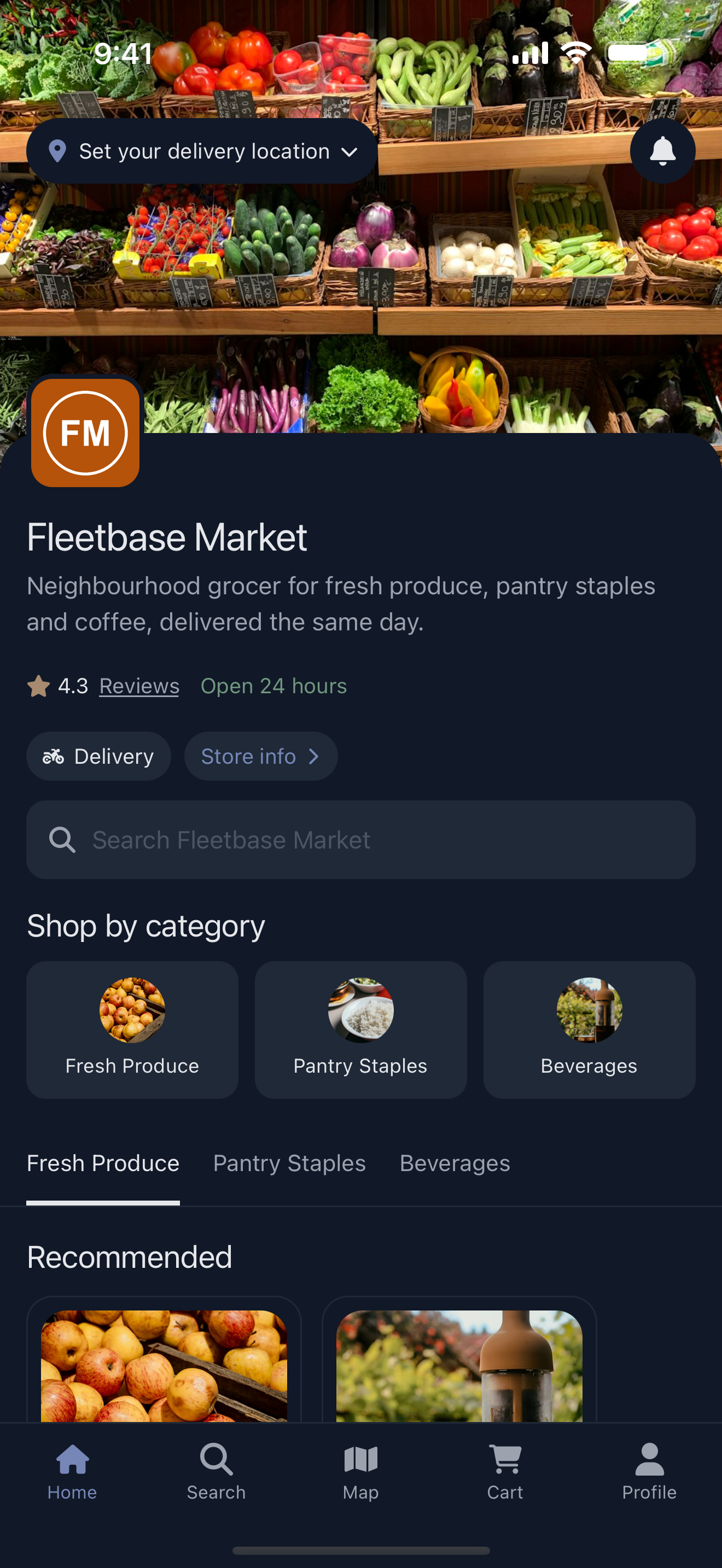
One business's own branded app. Home is the store page. |
A network key (network_…) |
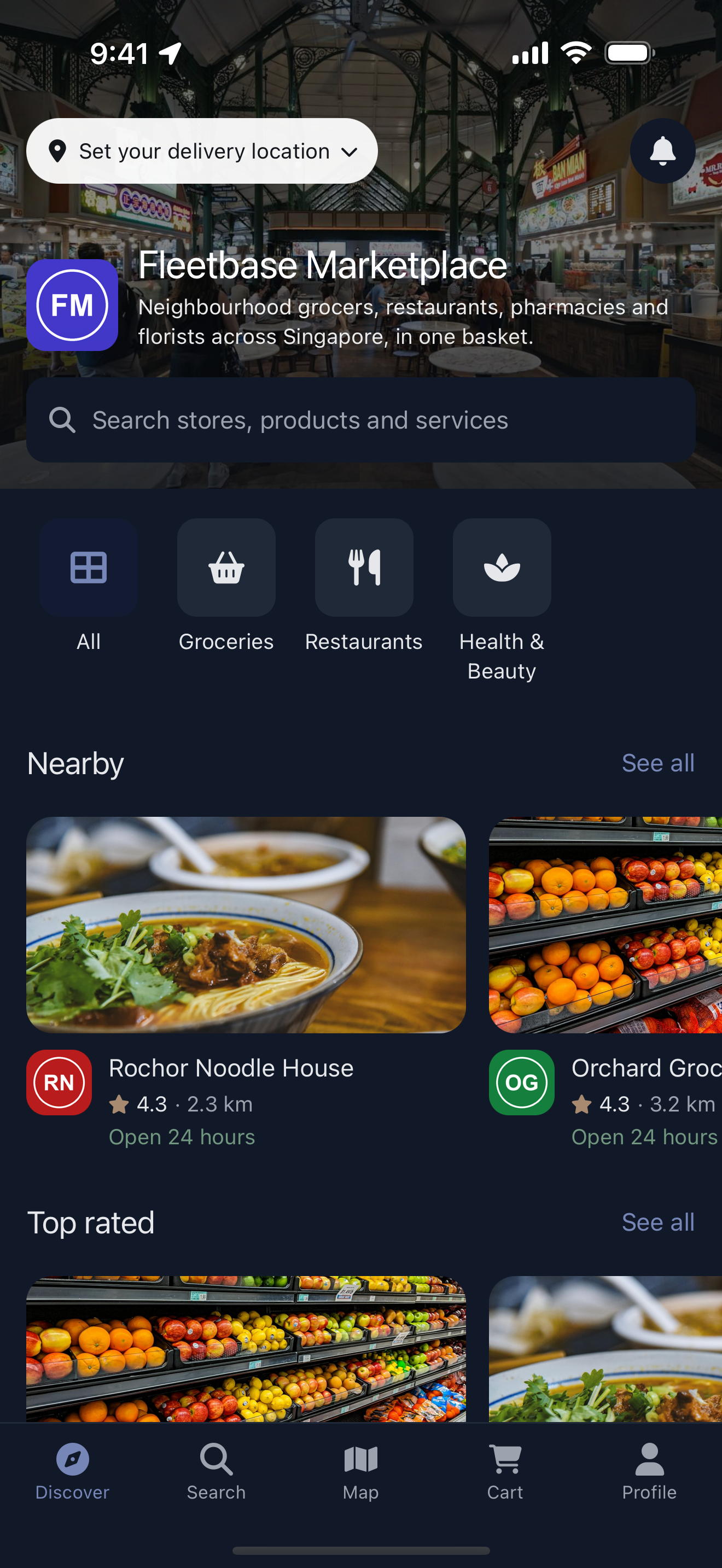
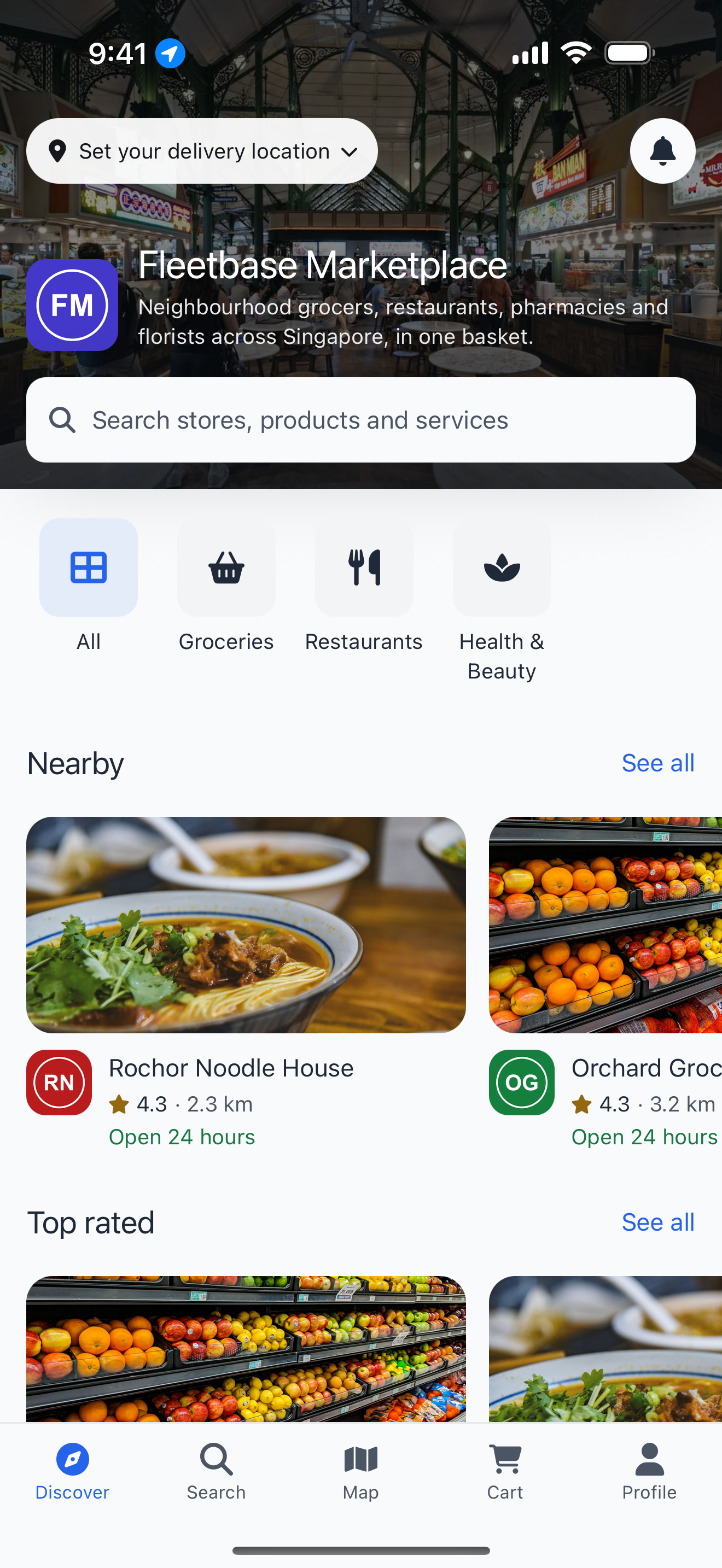
A marketplace of member stores, with discovery, search across stores, a stores map and carts that span stores. |
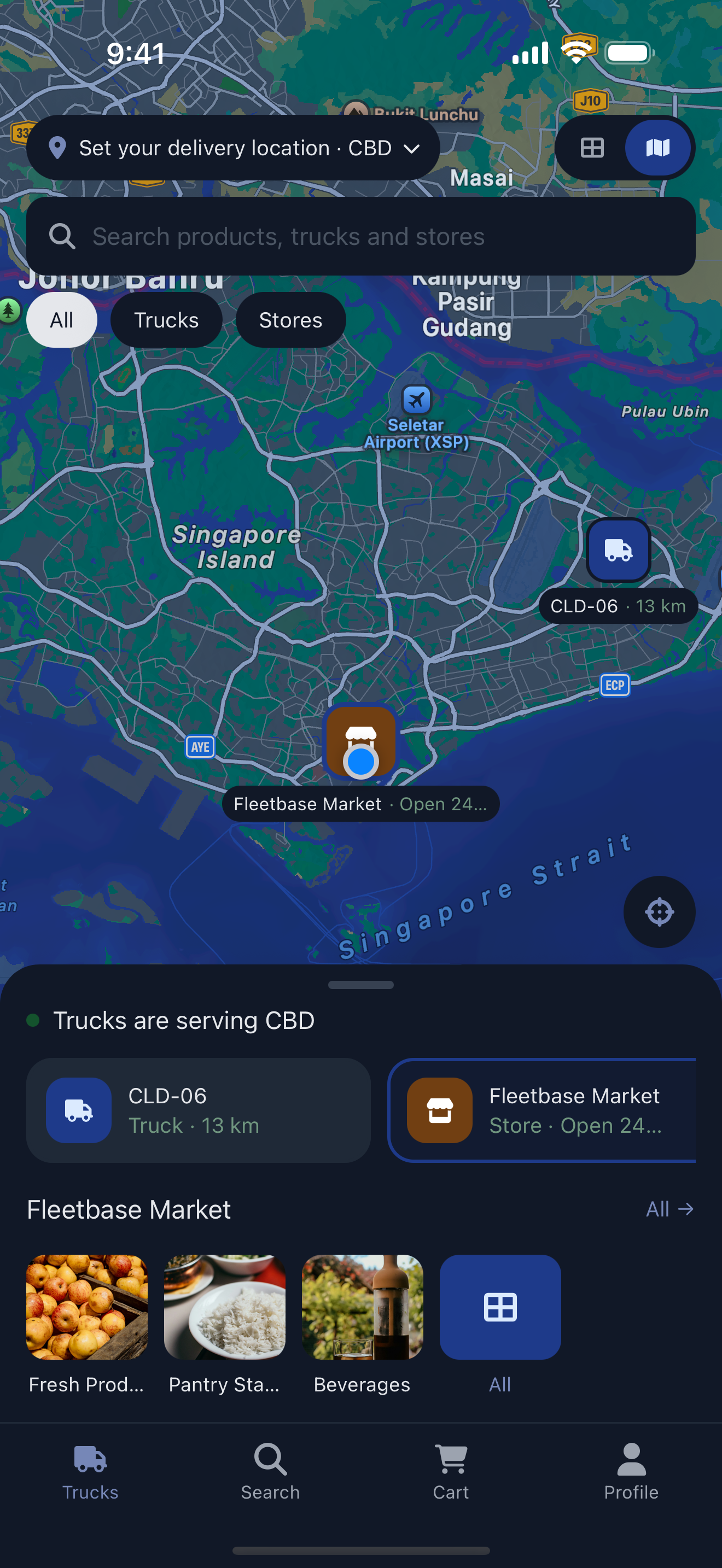
| Either key, with the trucks home | A mobile commerce app: home is a live map and list of the trucks serving the customer's zone, alongside your fixed stores. |
Shopping
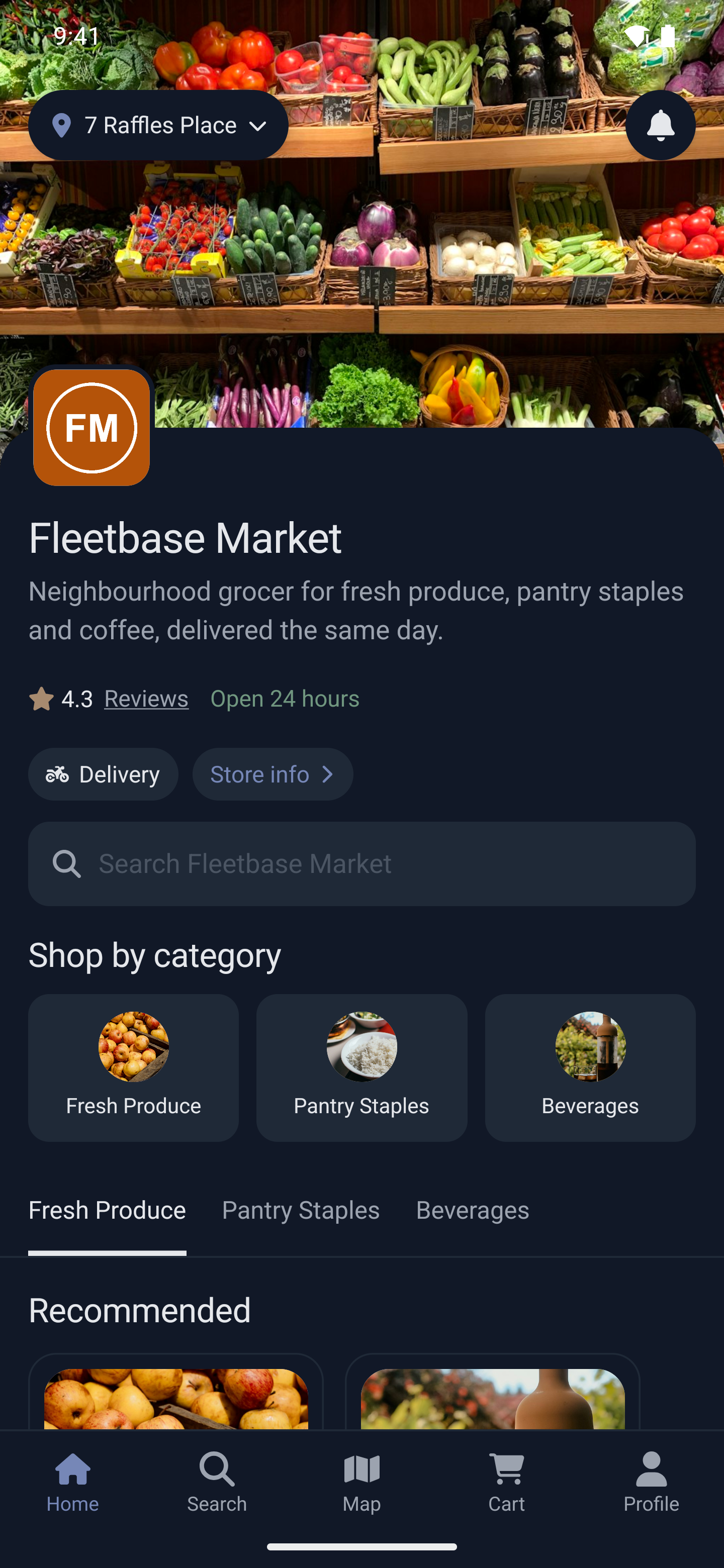
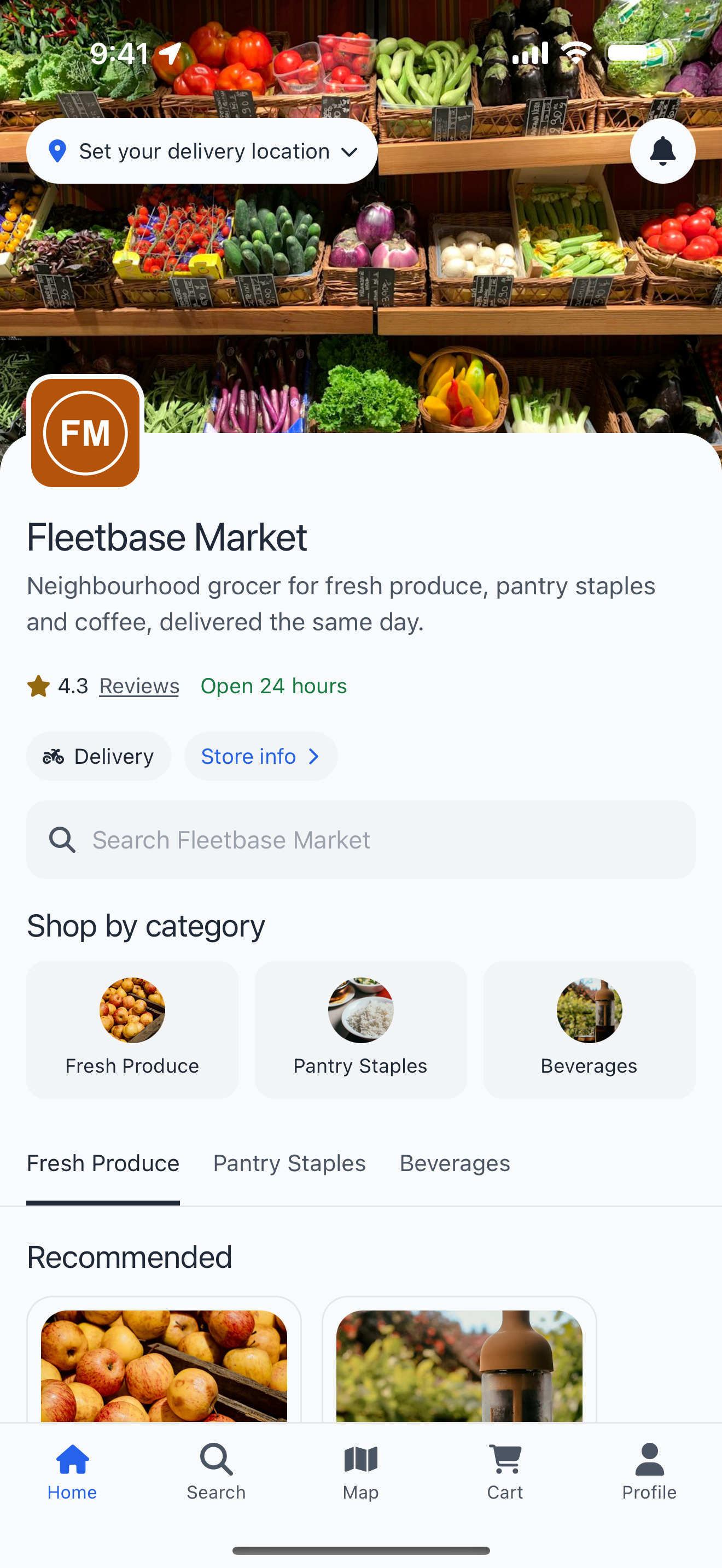
- Store and marketplace home pages with categories, recommended products and featured stores.
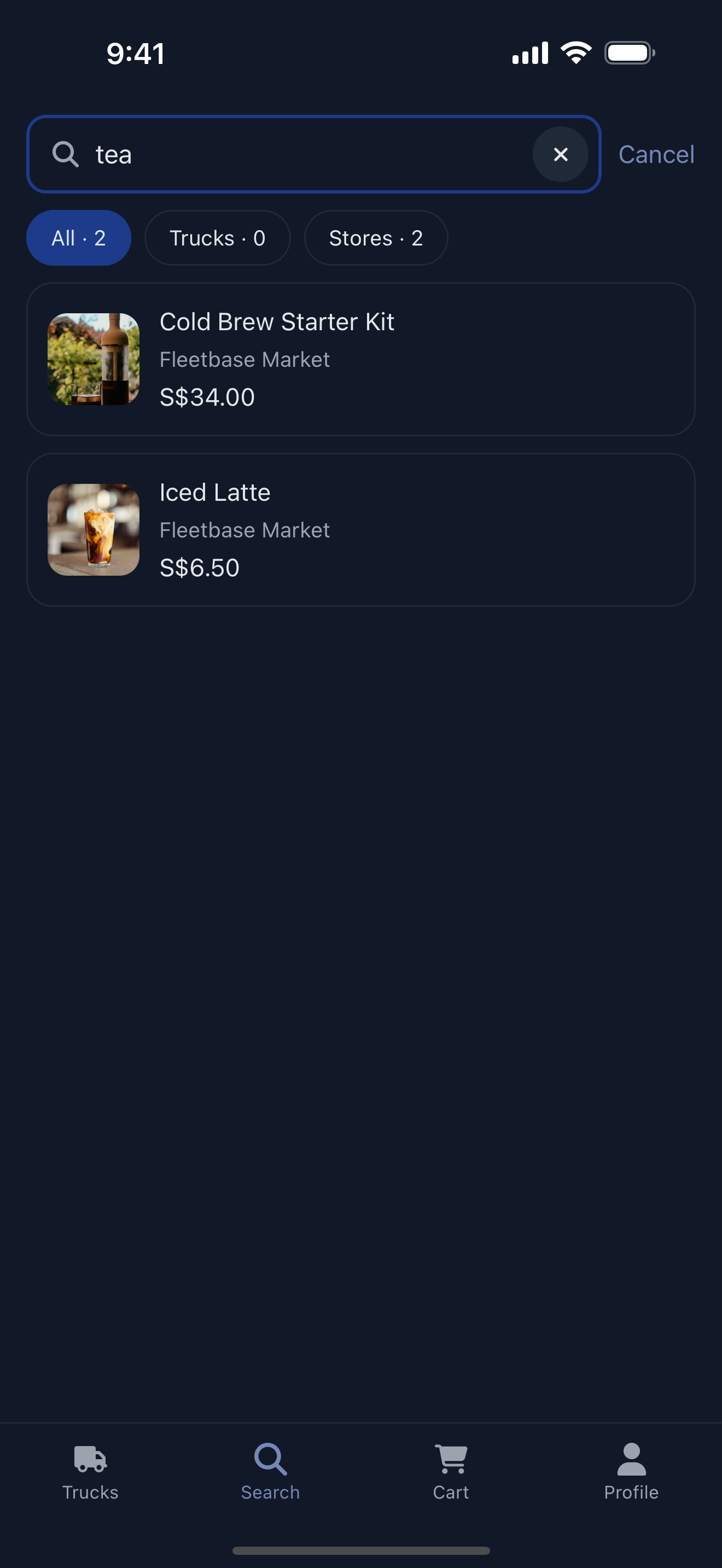
- Search with recent searches, popular categories and filters, scoped to a store or across a marketplace.
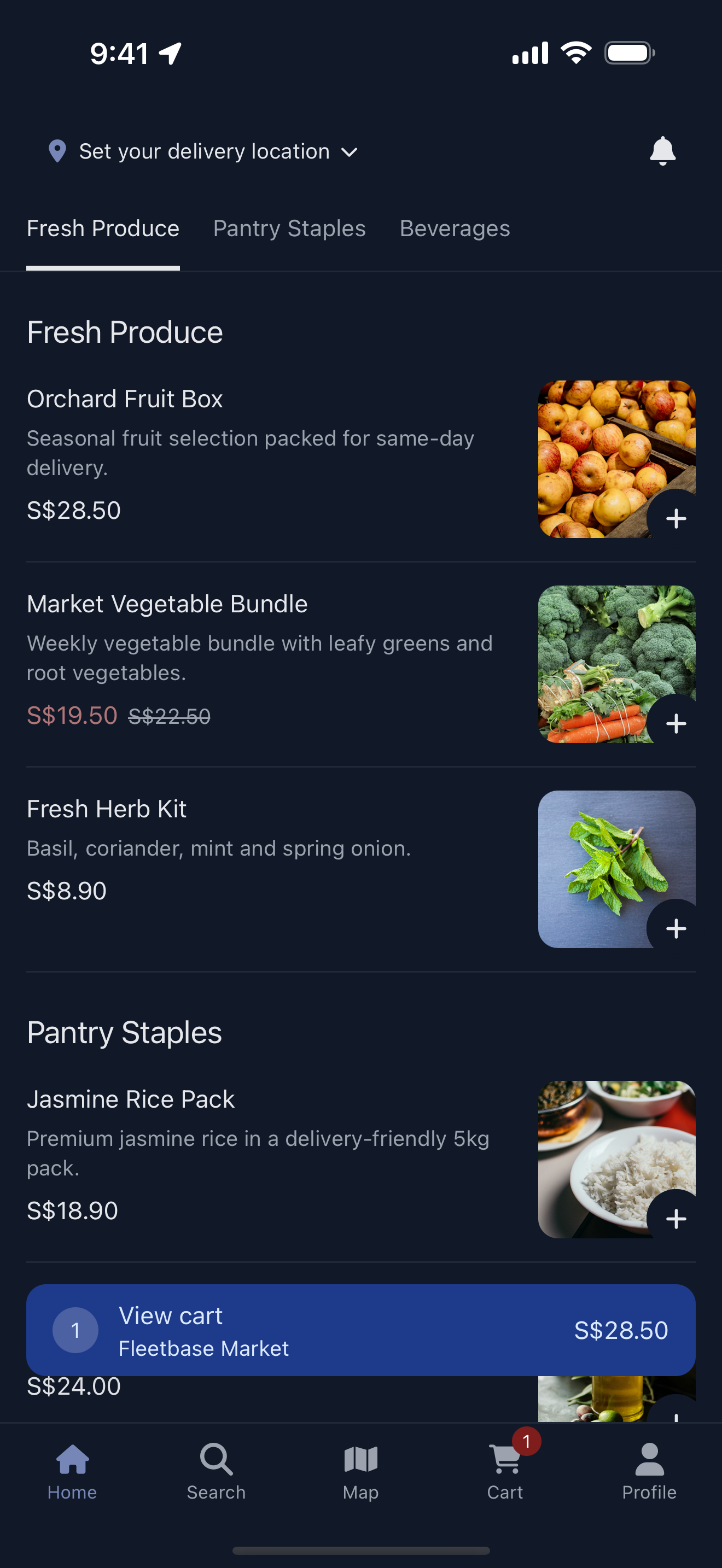
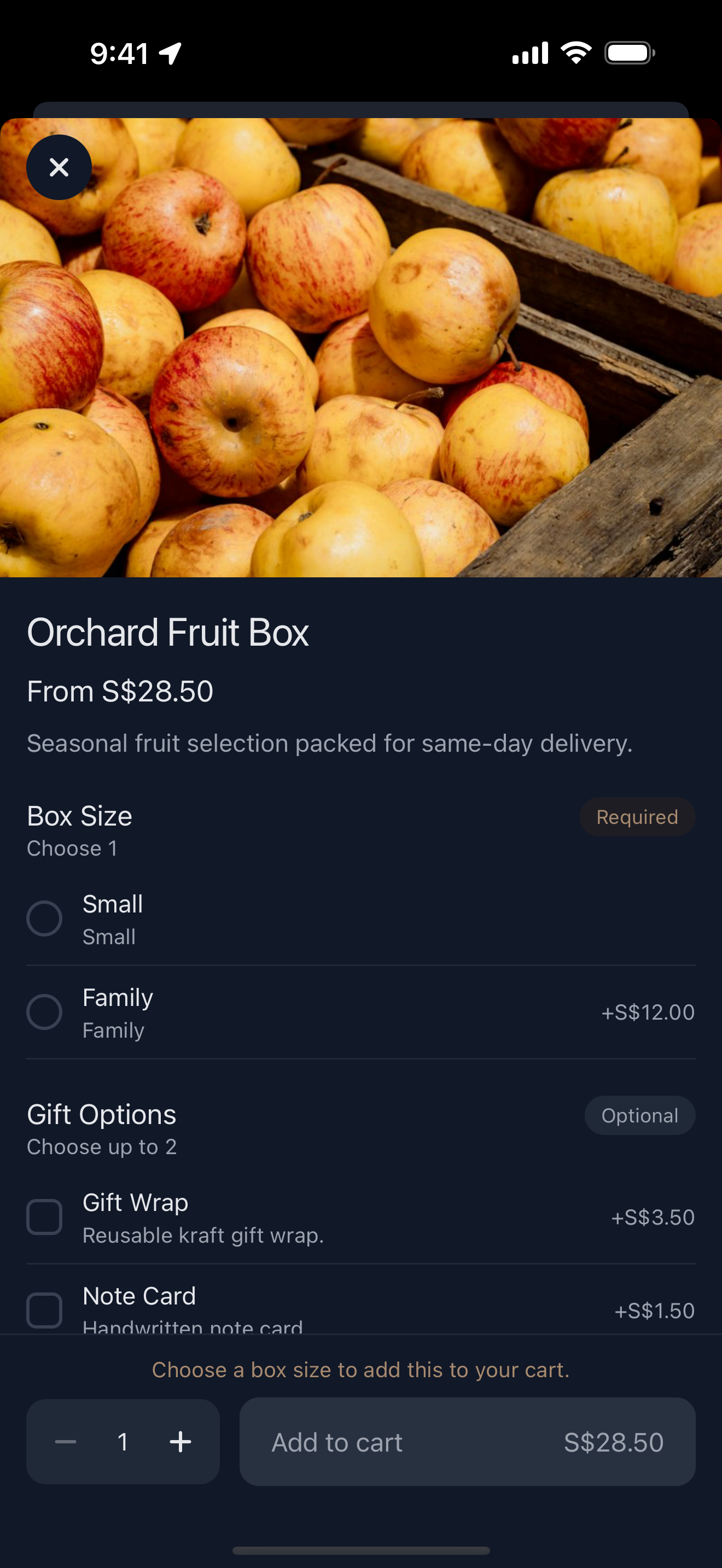
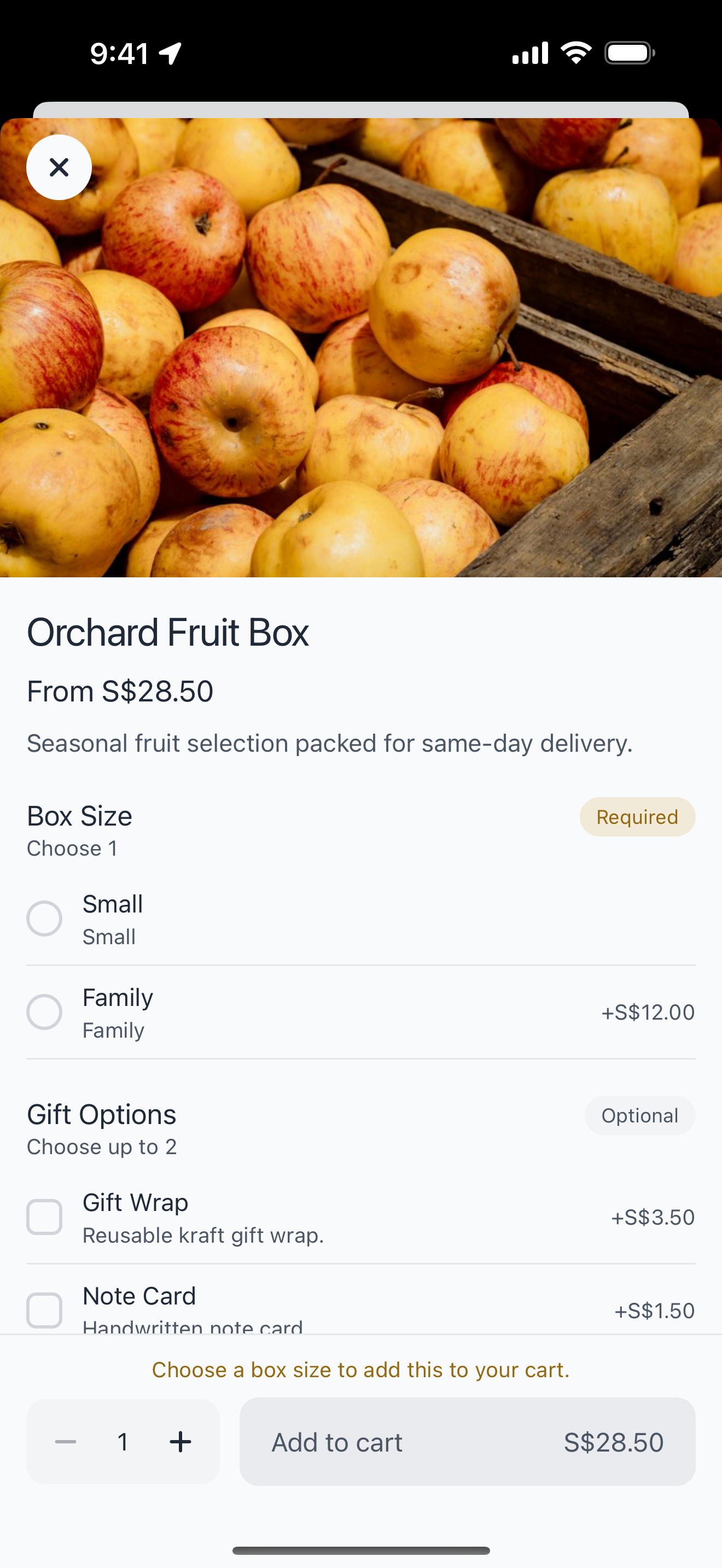
- Product variants and add-ons with required and optional choices, sale prices and live stock levels.
Service bookings
- Bookable services alongside products: customers pick a day and a start time from the slots you have open.
- Deposits taken at booking, with the balance settled later.
- Booked appointments can be added to the customer's calendar.
Marketplace
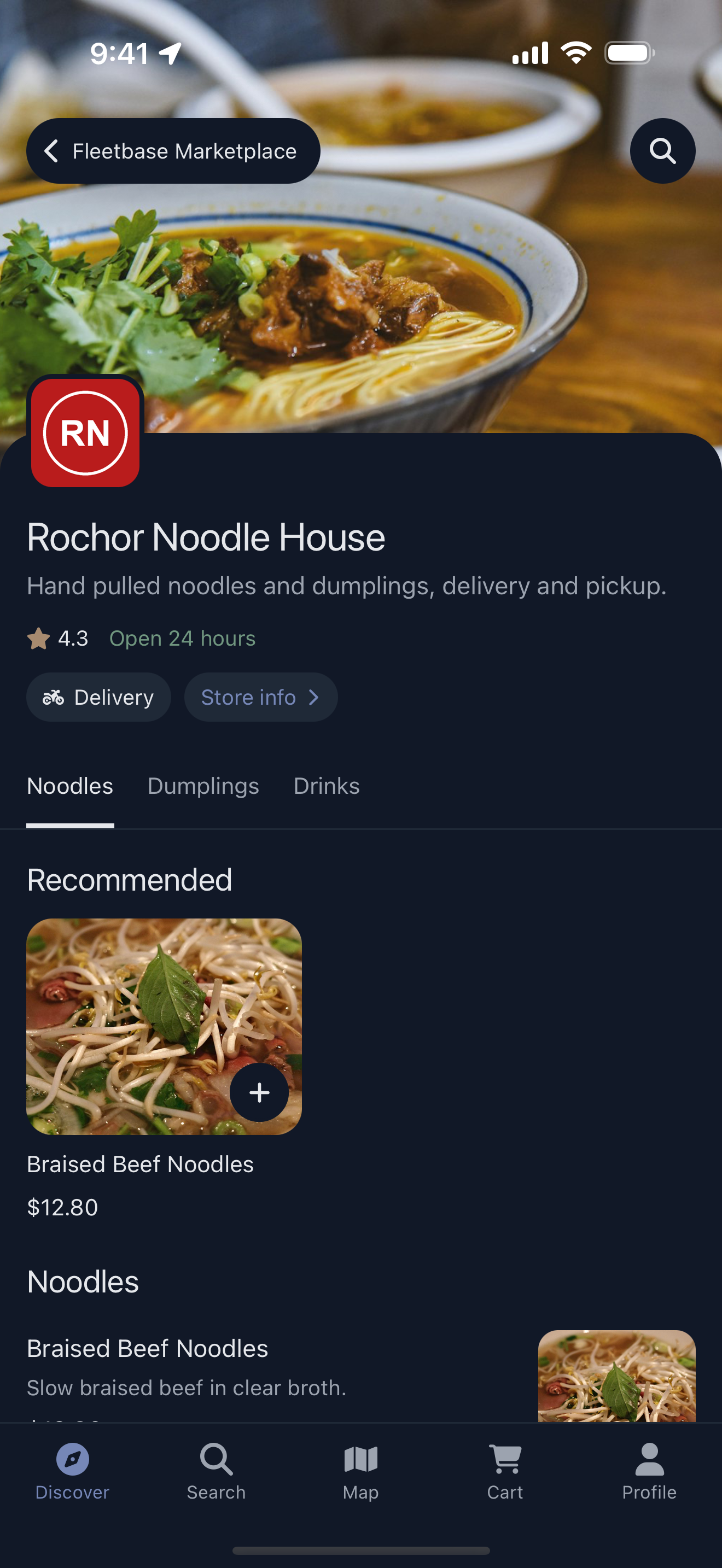
- One app for many independent stores, each with its own catalog, hours and locations.
- Discovery by category, tag and distance, and a map of every member store.
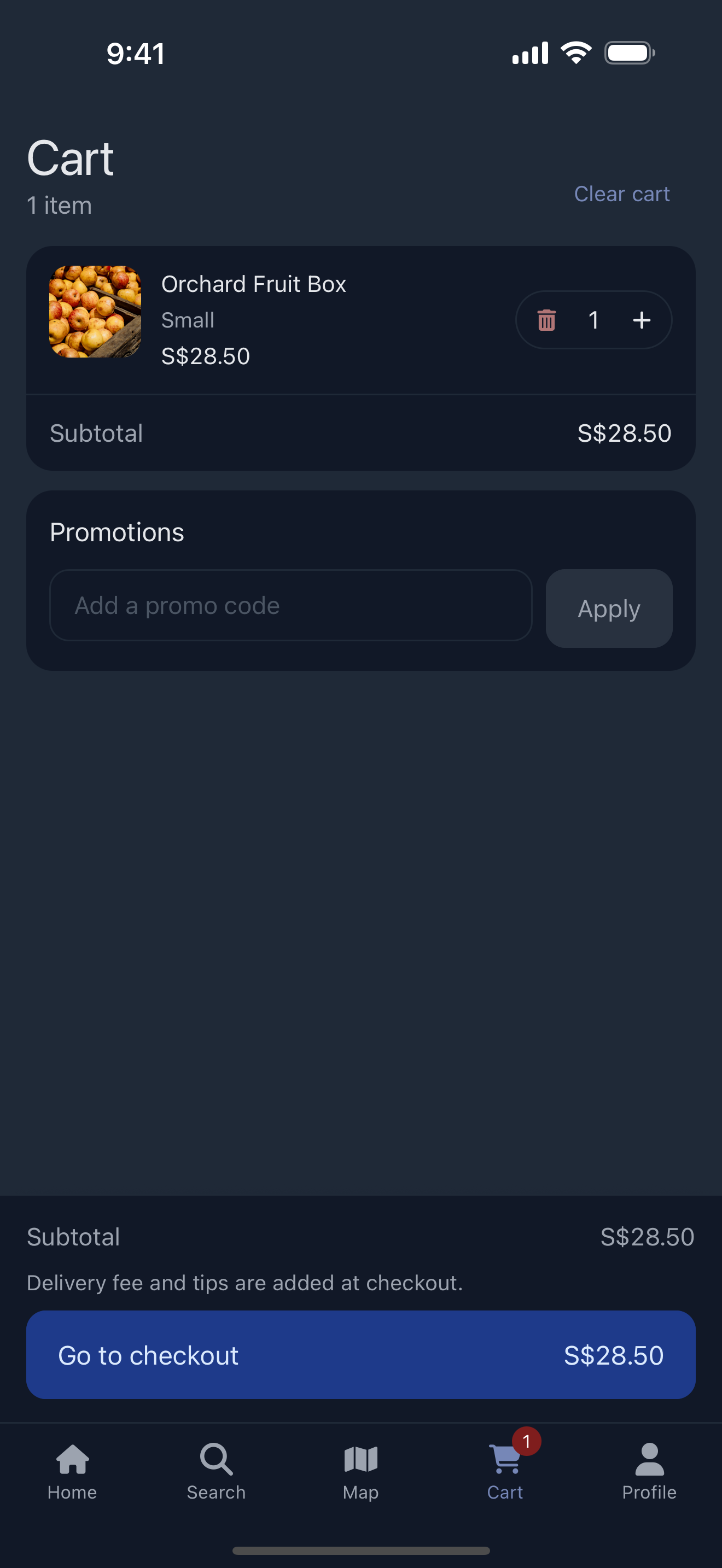
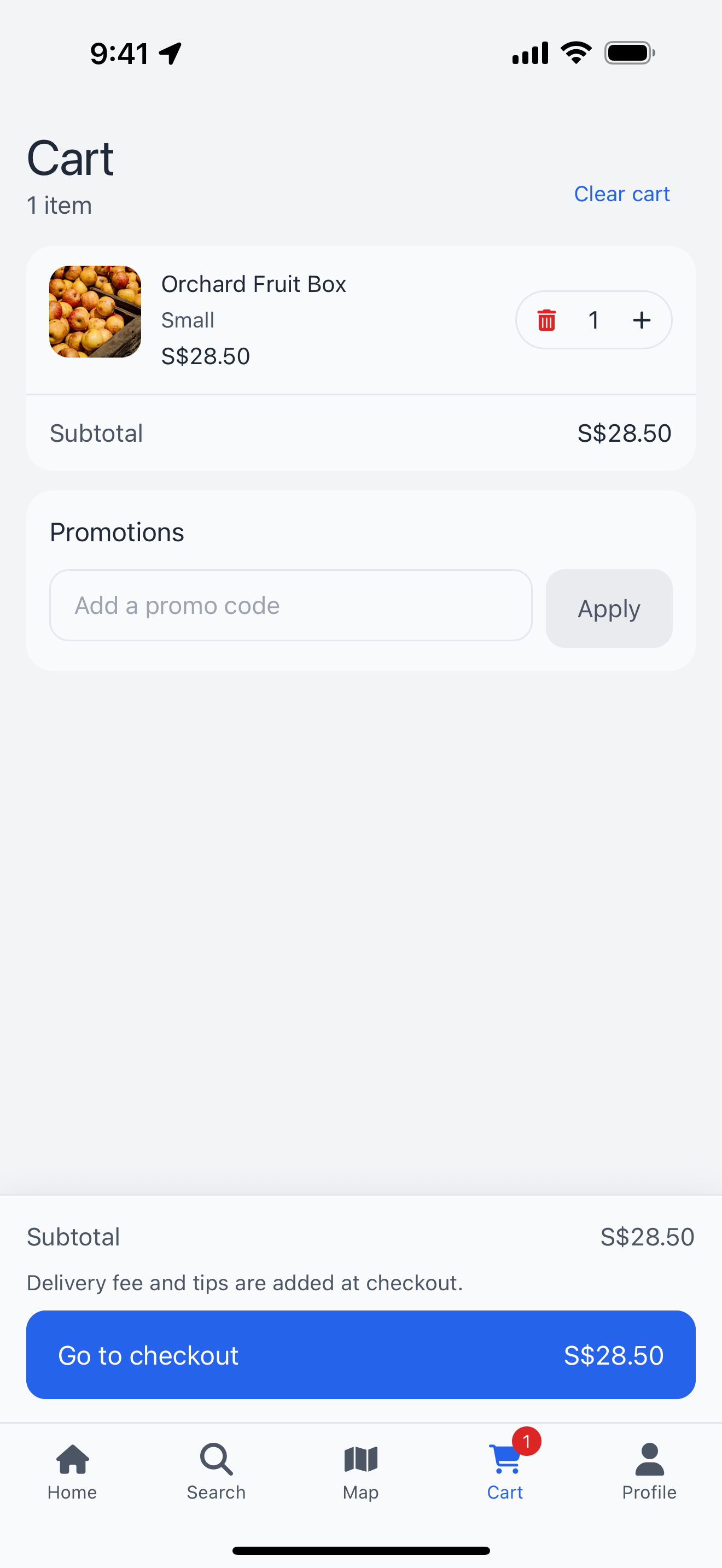
- One cart and one checkout across stores.
Trucks
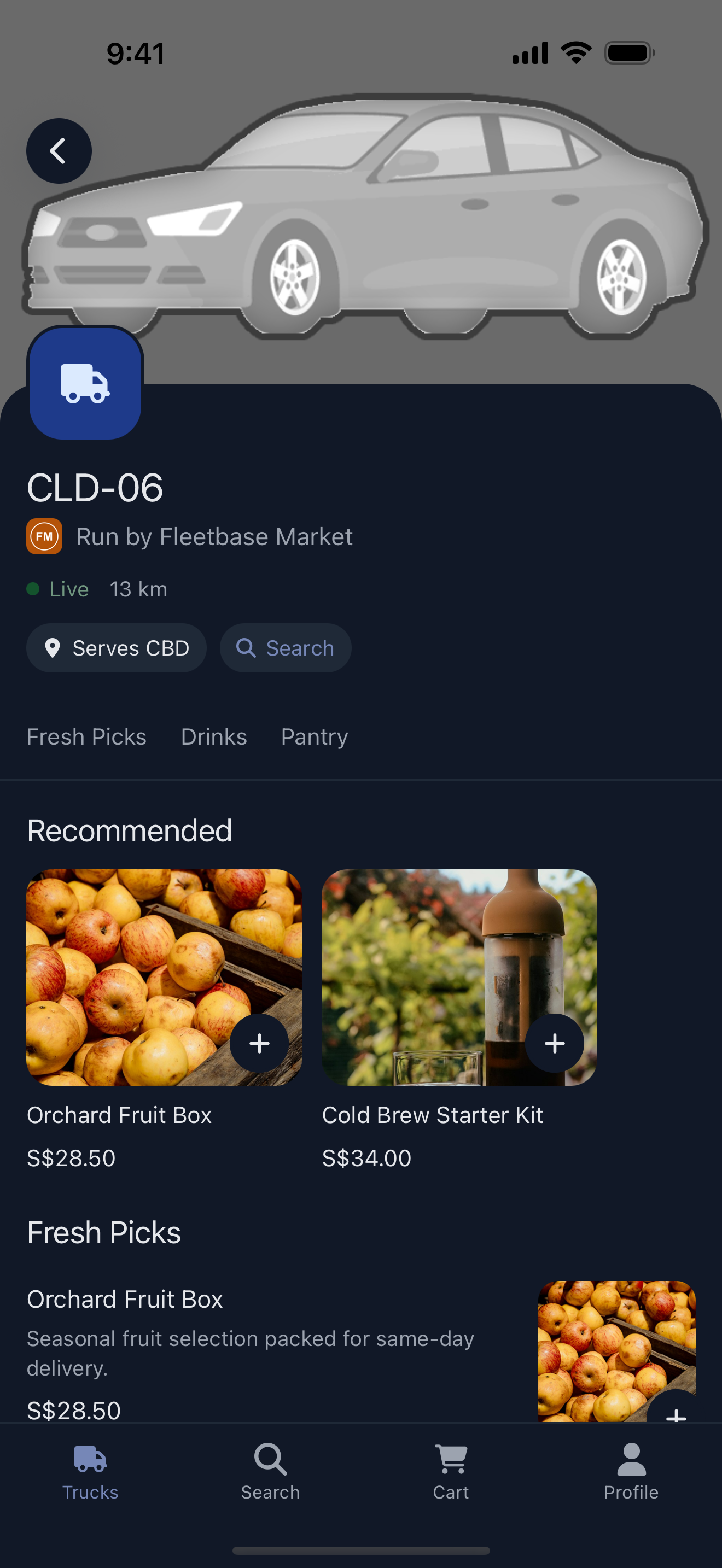
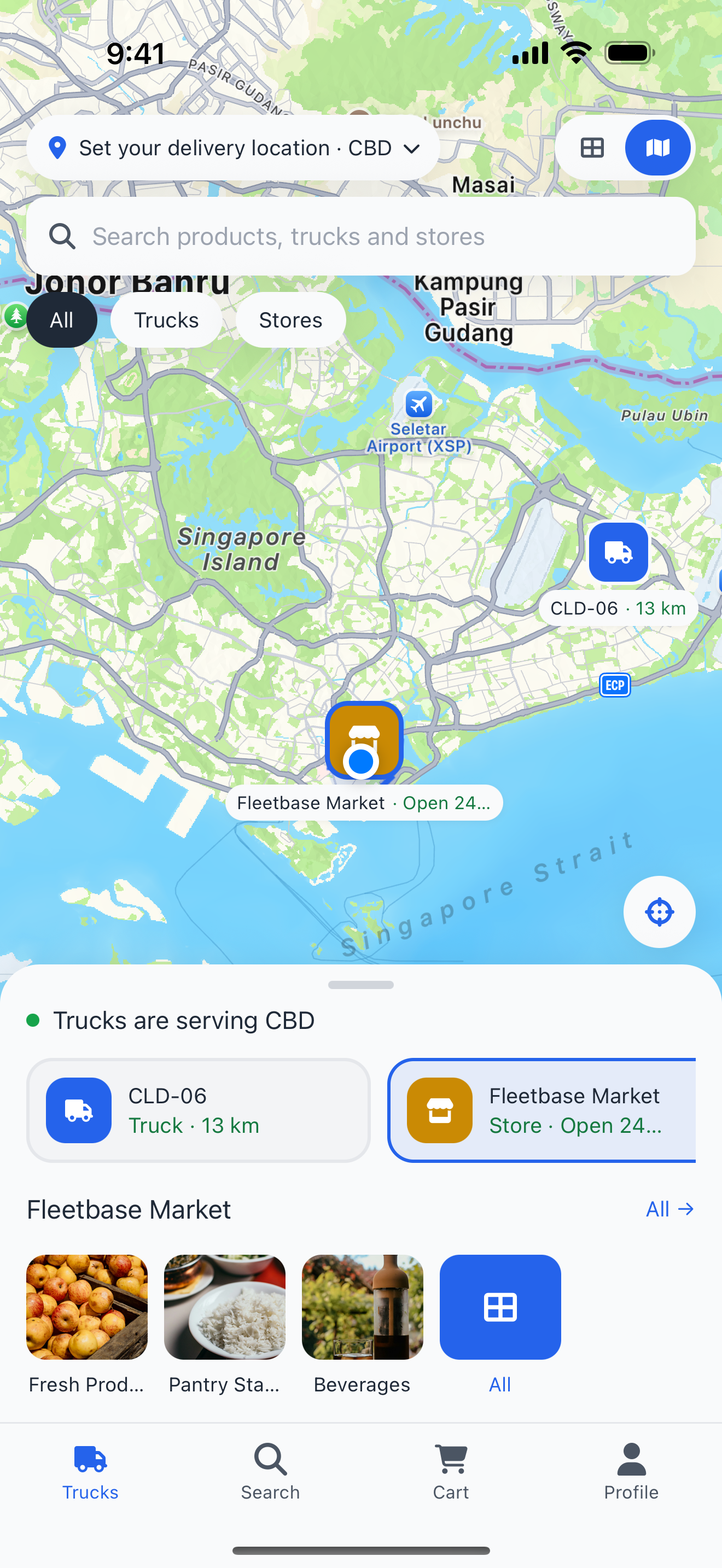
- Mobile stores on a live map, each truck with its own catalog and service zone.
- Trucks shown alongside fixed store locations, as a map or a list.
- Customers order from the trucks serving their location.
Ordering and checkout
- Delivery or pickup, scheduled orders and tips.
- Saved addresses, with a map pin for places address search can't find.
- Two payment gateways: Stripe (cards, saved cards, Apple Pay, Google Pay) and QPay (Mongolian bank apps and QR).
- Unavailable items are flagged before payment, not after.
After the order
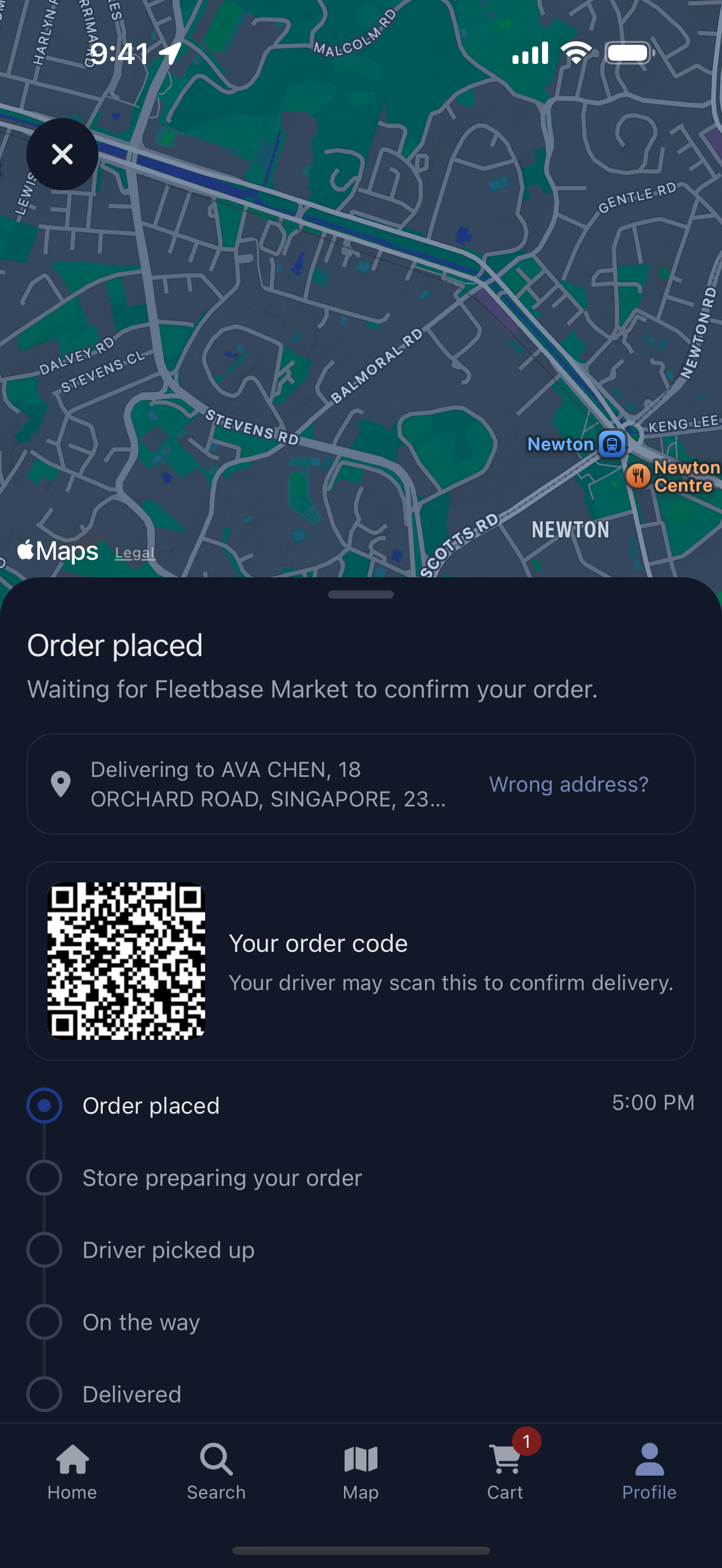
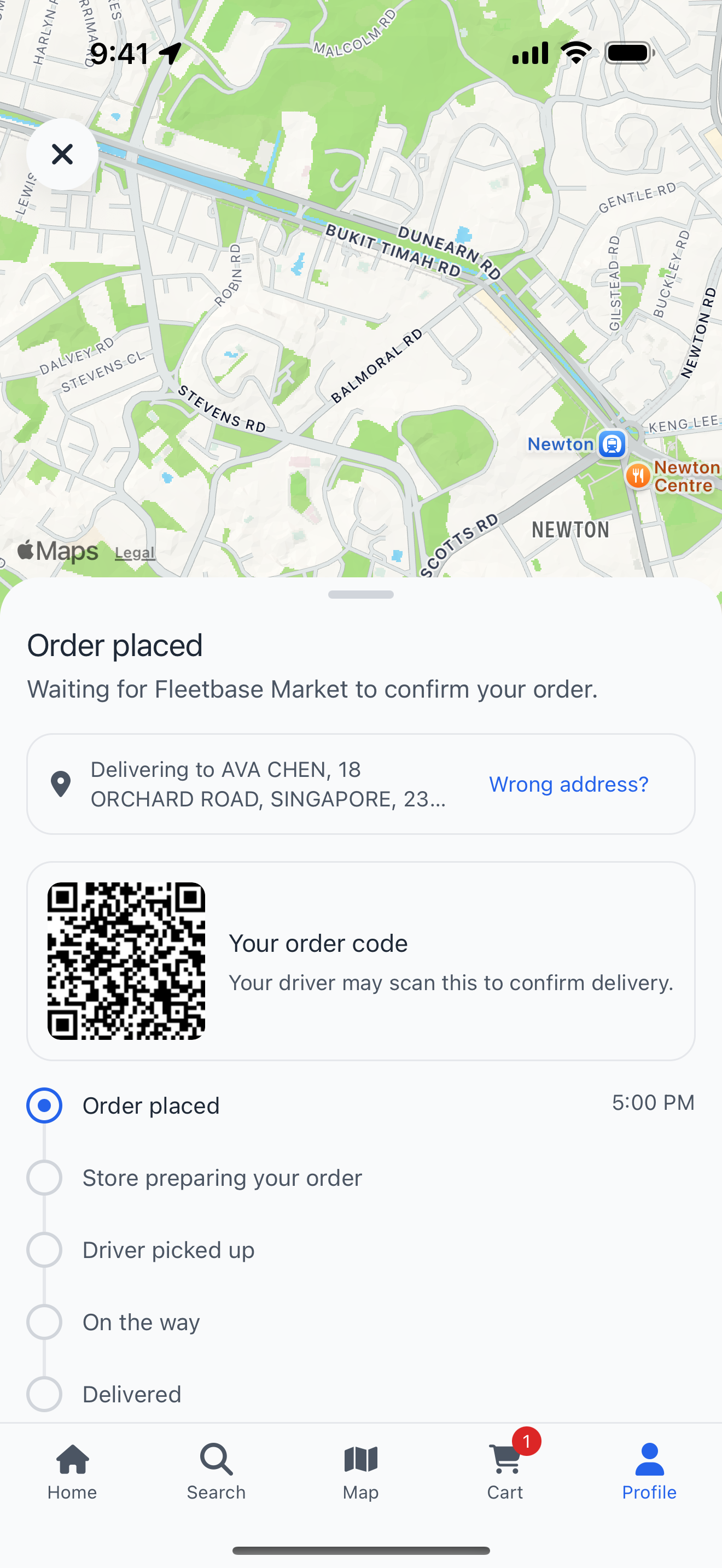
- Live tracking with the driver's position on the map and the order's progress in real time.
- Live chat with the store and with the driver, from the order screen.
- Order changes made by the store show up live, with any balance to pay; customers can report a wrong address.
- Receipts and order history, with active orders first.
Offers and promotions
- An Offers tab with every live deal, filtered by kind (percent off, money off, free delivery, buy one get one) and grouped into ending soon, ongoing and coming up.
- Each offer explains itself: what it applies to, when it runs, minimum spend, first order only or per-customer limits, and whether it needs a code or applies automatically.
- Promo codes copied or applied to the cart in one tap, or entered in the cart and at checkout.
- Offers shown where they apply: badges on categories and products, banners in a category, and offer cards on the home screen.
Reviews
- Star ratings and written reviews of stores, with up to four photos, marked "Verified purchase" because they come from a completed order.
- A rating summary on the store page, and every review sorted by newest, highest, lowest or oldest.
- Customers are invited to rate an order once it is delivered, can see and delete their own review, and review again after their next order.
Notifications
- Push notifications for order and booking updates, messages from the store or driver, and offers. Tapping one opens the order, the chat or the offer.
- An inbox behind the bell on the home screen, with an unread count, filters for orders and offers, mark all read, and swipe to delete.
- Notification settings per kind (order updates, offers and news), and a reminder with a link to phone settings when push is switched off.
Accounts
- Sign in with a phone number and a texted code, or with Apple and Google.
- Profile, saved payment methods and address book.
- Account deletion from inside the app, as the app stores require.
Your brand
- Colors for light and dark, fonts, buttons, chips, corner radii, tab bar, which tabs show and their icons and labels, all from one brand file.
- App icon and launch screen generated from your artwork.
- Replace any screen or add your own screens and tabs without forking the app's code.
Built for everyone
- iOS, Android and the web from one codebase.
- Light and dark appearance, text that follows the system font size, and screen reader labels.
- English, Mongolian and Ukrainian included, with a language switcher.
Every screen is designed to feel native on iOS and Android, in light and dark. Customers find what they want in a couple of taps, check out in seconds and watch their order arrive live, with your brand on every screen.
A single store
| Store | Category | Product | Cart | Order |
|---|---|---|---|---|
|
 |
 |
 |
 |
A Network (marketplace)
| Marketplace | Member store | Search | Stores map | Account |
|---|---|---|---|---|
|
 |
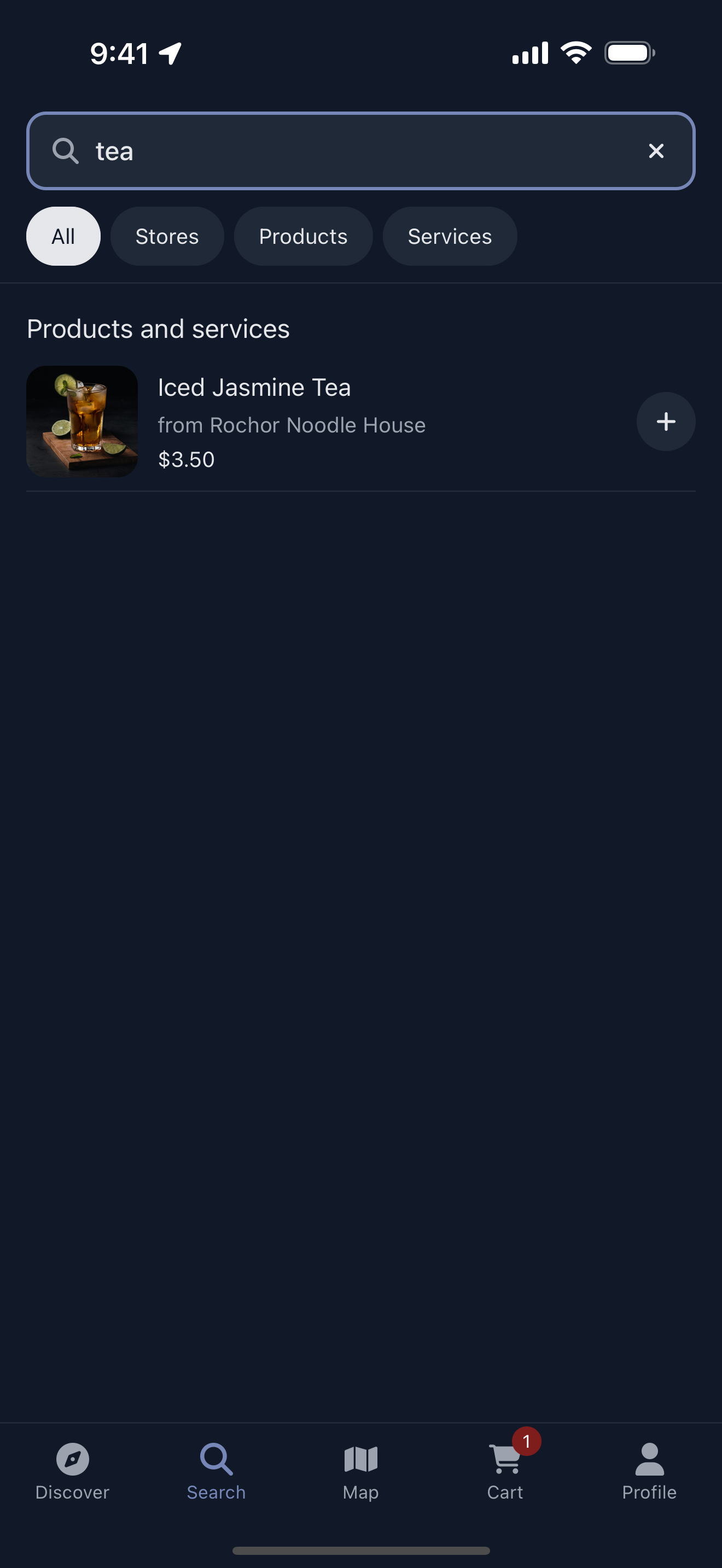 |
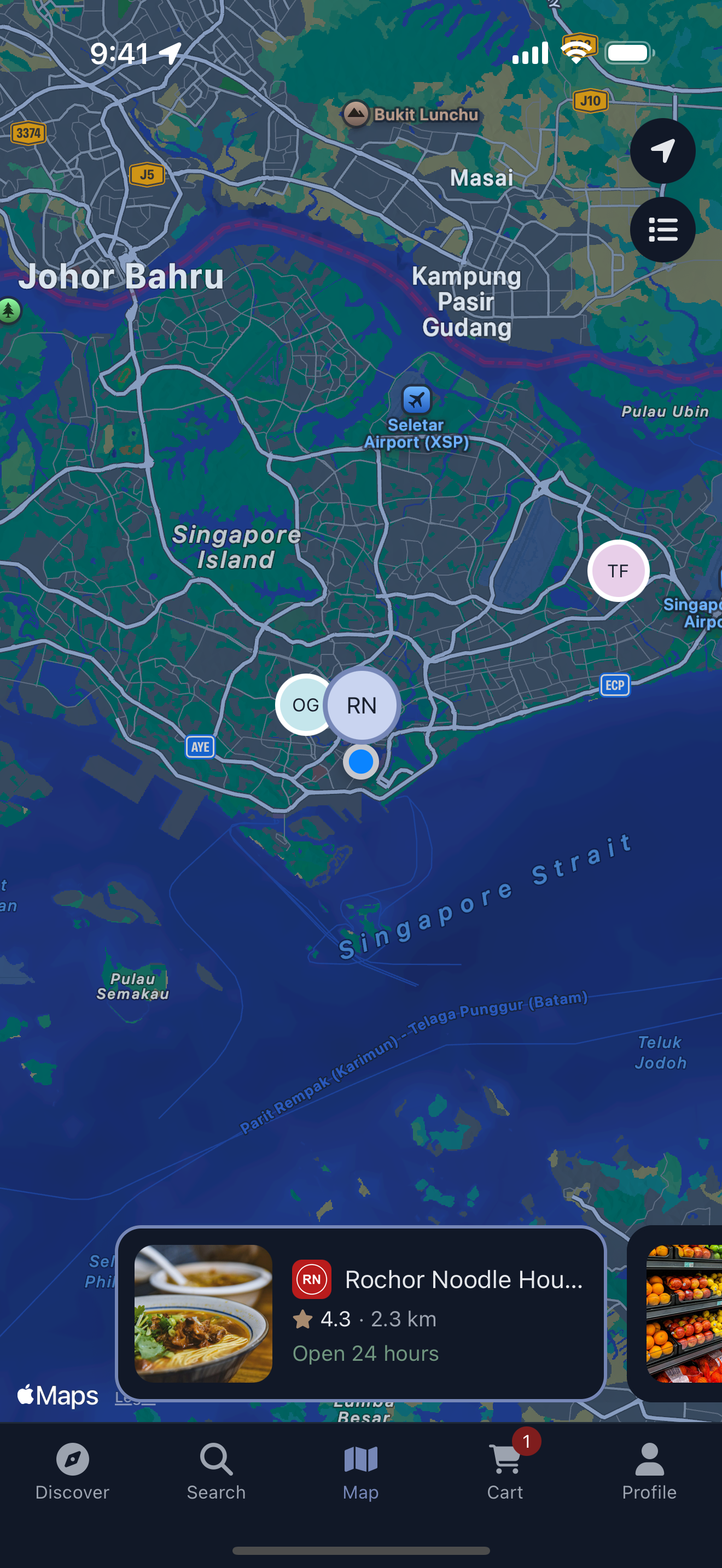 |
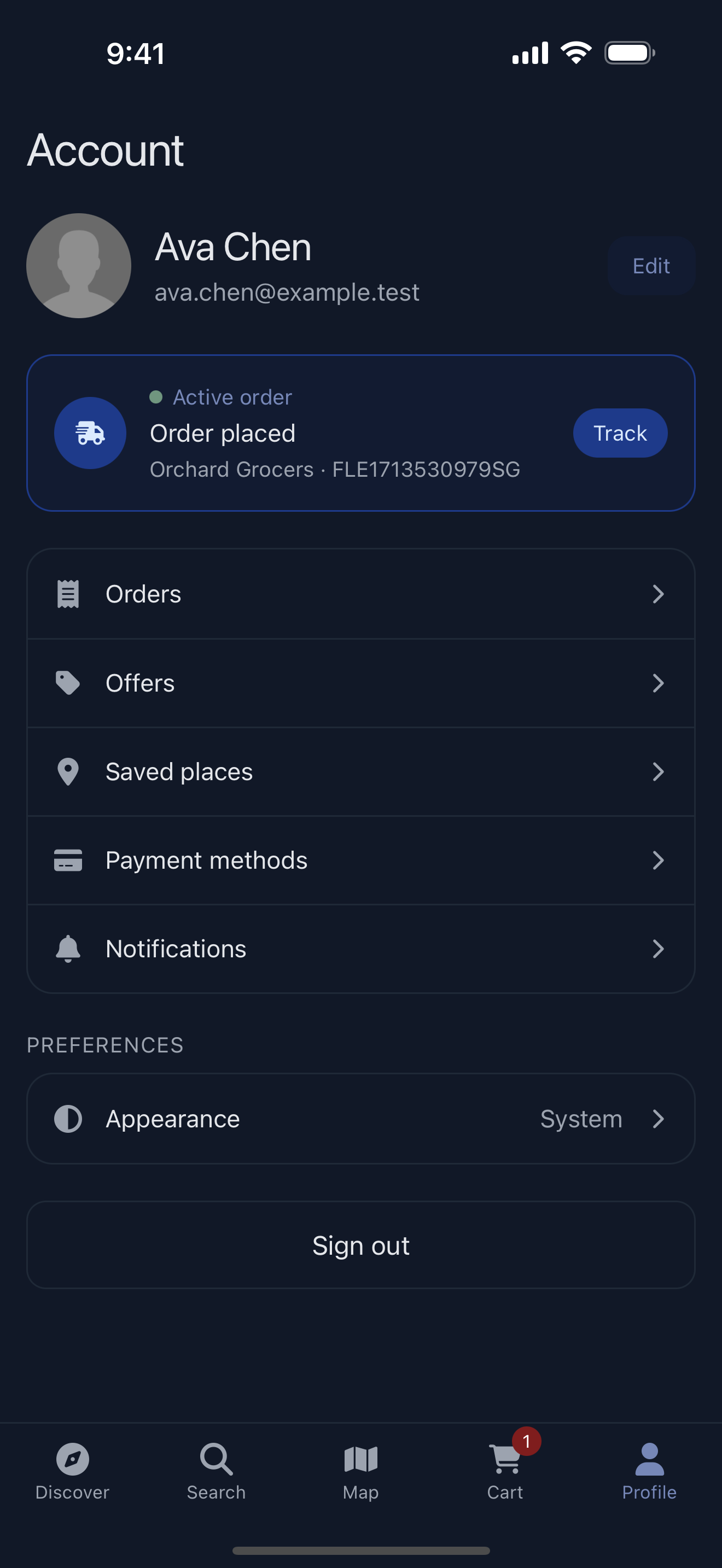 |
Trucks
| Trucks map | Trucks list | Truck menu | Search | Light appearance |
|---|---|---|---|---|
|
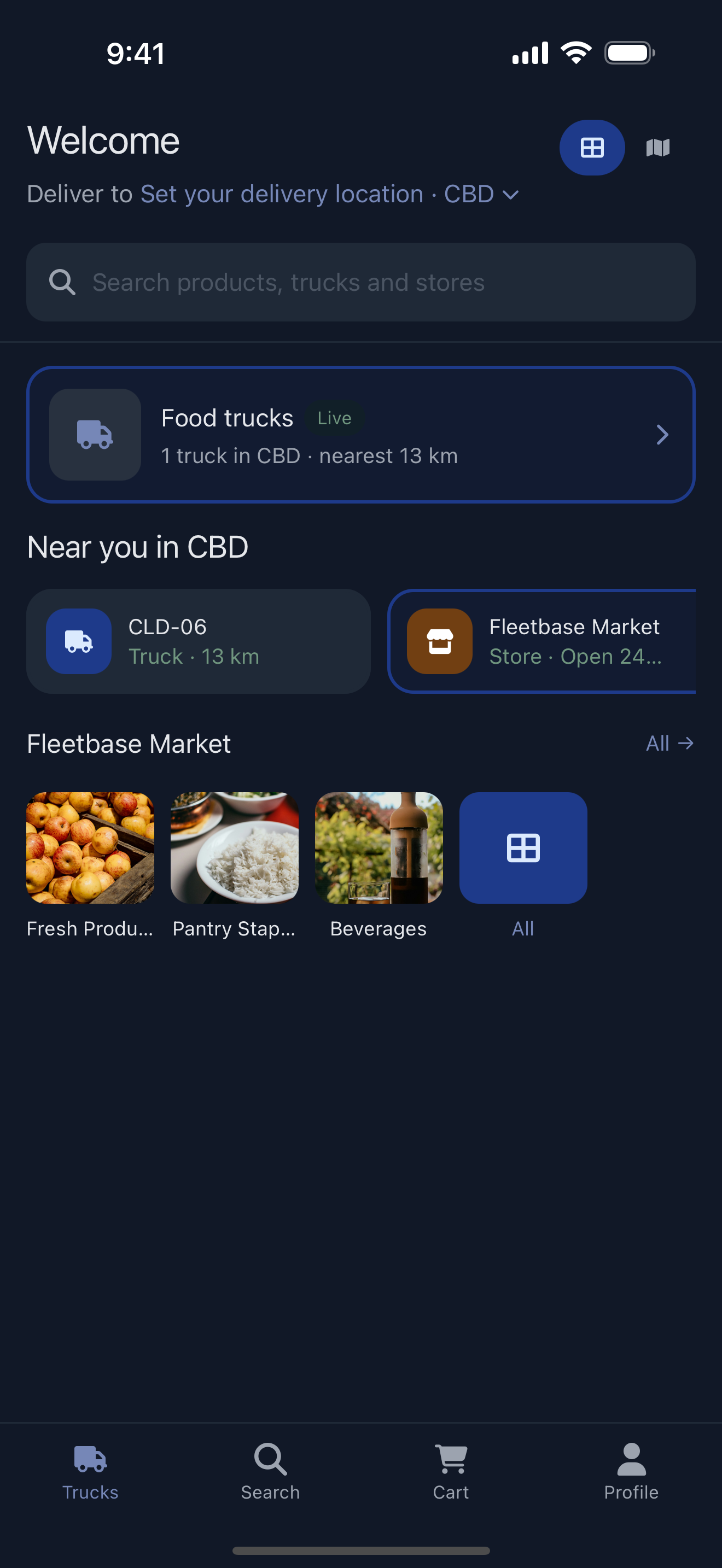 |
 |
 |
 |
On Android
| Store | Product | Marketplace | Trucks map | Order |
|---|---|---|---|---|
 |
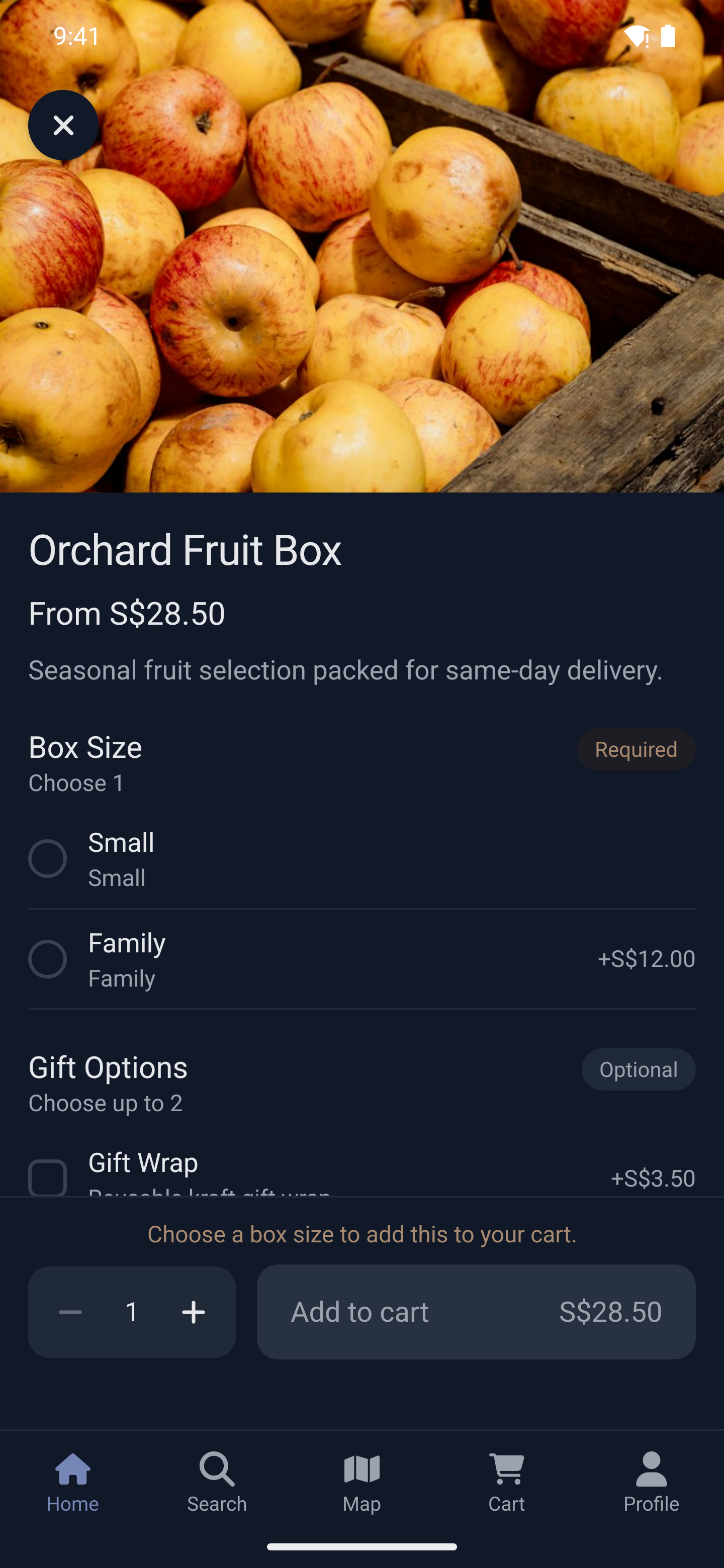 |
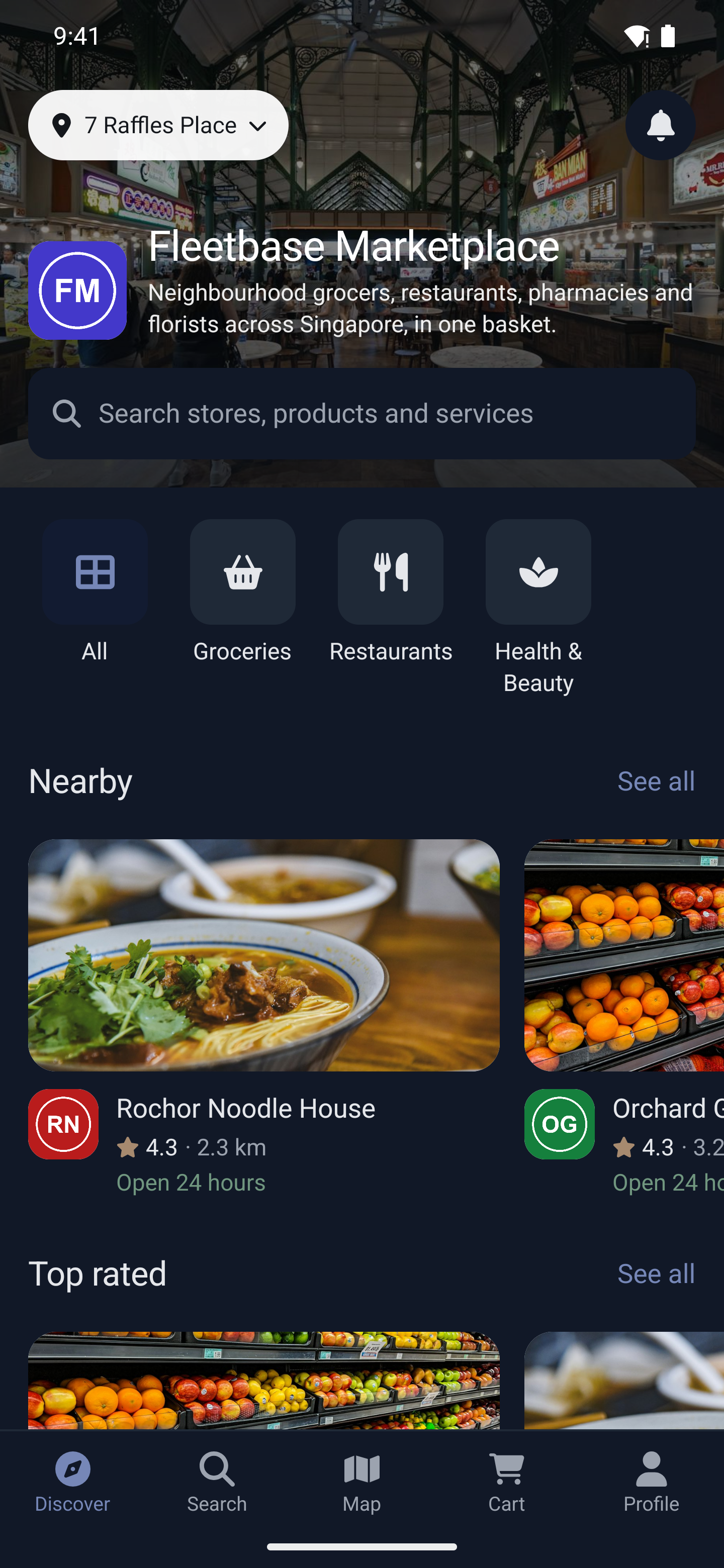 |
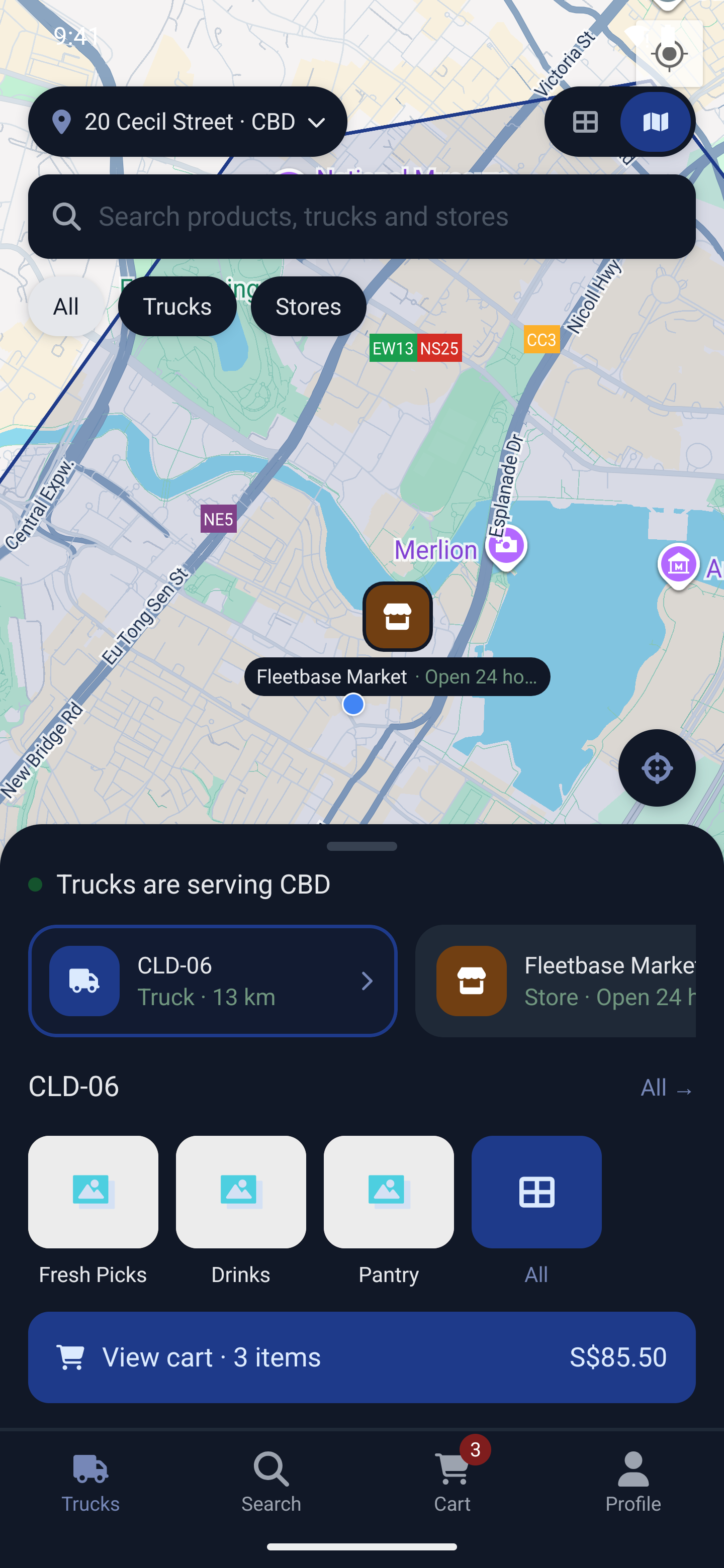 |
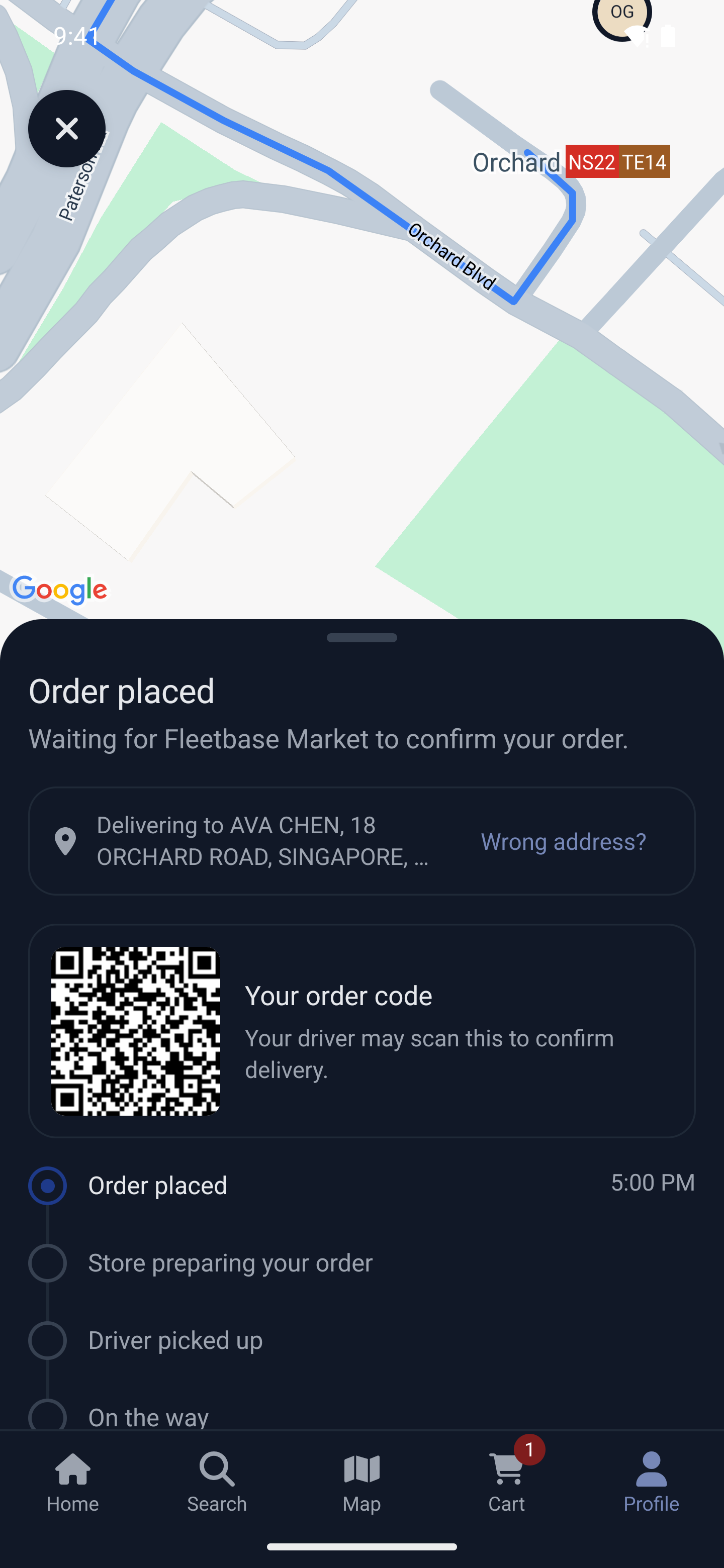 |
Light appearance
| Store | Marketplace | Product | Cart | Order |
|---|---|---|---|---|
 |
 |
 |
 |
 |
The app needs a Fleetbase backend with the Storefront extension. Fleetbase Cloud is the quickest way to get one: sign up, create a store, add products, and you have the keys to build the app the same day. Everything the app shows is managed from the Console:
- Stores, locations, opening hours and catalogs, including bookable services.
- Networks for a marketplace, and trucks with their zones.
- Payment gateways, notification channels, promotions and promo codes.
- Orders, dispatch and drivers, with the Navigator driver app.
See pricing, or talk to us about a managed launch. Fleetbase is also available to self-host.
You need:
- Node 20 (see
.nvmrc) and Yarn 3 through Corepack. - Xcode with CocoaPods for iOS, and Android Studio with JDK 21 for Android.
- A Fleetbase account with the Storefront extension, on Fleetbase Cloud or self-hosted.
git clone https://github.com/fleetbase/storefront-app.git
cd storefront-app
corepack enable
yarn install
cp .env.example .env
Set your keys in .env (see Configuration). Then run on iOS:
yarn pod:installyarn iosOr on Android, or in a browser:
yarn androidyarn webThe Storefront app quickstart walks through creating the store and its keys in the Console. To ship a branded app for a client, see Branding and customization and Build and release.
The app reads .env at build time, so a change needs a rebuild. The full list is in the configuration docs.
Required
| Key | What it is |
|---|---|
STOREFRONT_KEY |
Your store key (store_…) or network key (network_…), from Storefront → Settings → API in the Console. |
FLEETBASE_KEY |
A Fleetbase API key, from Developers → API Keys in the Console. |
FLEETBASE_HOST |
Your Fleetbase API: https://api.fleetbase.io on Fleetbase Cloud, or your own server. |
GOOGLE_MAPS_API_KEY |
Google Maps on Android, and address search. |
APP_NAME, APP_IDENTIFIER |
The app's display name and its bundle id / application id. |
Common options
| Key | Default | What it does |
|---|---|---|
PAYMENT_GATEWAY |
stripe |
stripe or qpay |
STRIPE_KEY |
Stripe publishable key, when using Stripe | |
STRIPE_ENABLE_APPLE_PAY, STRIPE_ENABLE_GOOGLE_PAY |
false |
Wallet buttons in the Stripe payment sheet |
TIP_INCREMENT |
50 |
Tip step, in the currency's smallest unit |
PRIORITIZE_PICKUP |
false |
Start checkout on pickup instead of delivery |
DEFAULT_LOCALE, AVAILABLE_LOCALES |
en, en,mn,uk |
The starting language and the languages offered |
DEFAULT_COUNTRY |
device region | Country the phone field starts on, e.g. MN for +976 |
DEFAULT_COORDINATES |
lat,lng used until the customer's location is known |
|
DEFAULT_MAP_TYPE |
standard |
standard, satellite, hybrid or terrain, on every map |
DISABLE_GEOCODING_SCREEN |
false |
Add addresses with the map pin only, for regions where address search is weak |
APPLE_LOGIN_ENABLED, GOOGLE_LOGIN_ENABLED |
false |
Sign-in options; see Sign-in |
TOS_URL, PRIVACY_URL |
Linked from the account screen | |
APP_LINK_PREFIX |
URL scheme for deep links, e.g. myshop |
|
SOCKETCLUSTER_HOST, SOCKETCLUSTER_PORT, SOCKETCLUSTER_SECURE, SOCKETCLUSTER_PATH |
Fleetbase Cloud | Your realtime server, when self-hosting |
The look of the app, which tabs show and whether home is the store or the trucks are set in the brand file, not in .env. See Branding and customization.
In development you can switch keys without rebuilding: put overrides in a git-ignored env.dev.json at the repository root, for example { "STOREFRONT_KEY": "network_…" }, and restart Metro. Release builds ignore it.
Set the gateway with PAYMENT_GATEWAY, and its credentials in the Console under Storefront → Settings → Payment gateways. See payment gateways.
- Stripe: cards and saved cards through Stripe's payment sheet, with Apple Pay and Google Pay. Set
STRIPE_KEYto your publishable key. - QPay: the customer picks their bank app or scans a QR code; the app confirms the payment when they return, and lets them retry or pay another way if it doesn't go through.
Customers sign in with a phone number and a code sent by text. Apple and Google can be added:
- Apple:
APPLE_LOGIN_ENABLED=true, with the Sign in with Apple capability in Xcode. Shown on iOS. - Google:
GOOGLE_LOGIN_ENABLED=true,GOOGLE_CLIENT_ID(the web client) andGOOGLE_IOS_CLIENT_ID(the iOS client), both without the.apps.googleusercontent.comending. Android also needs an Android OAuth client for your package name and signing key. Shown on iOS and Android.
Add a notification channel in the Console under Storefront → Settings → Notifications. See notification settings.
- iOS (APNs): enable Push Notifications under Signing & Capabilities in Xcode, create an APNs key in your Apple developer account, and enter its key id, your team id, the bundle id and the key in the channel.
- Android (FCM): add an Android app to a Firebase project, place its
google-services.jsoninandroid/app/, and add the service account to the channel.
English, Mongolian and Ukrainian are included in translations/. Customers switch language from the account screen or the language button in the header. To add a language, add translations/<code>.json with the same keys and list it in AVAILABLE_LOCALES. Translation pull requests are welcome.
Everything a branded build changes lives in brand/, which this repository never ships, so a client build takes each new release as a plain merge.
brand/
  storefront.brand.ts         colors, fonts, buttons, tabs, home screen
  storefront.extensions.ts    replaced screens, added screens and tabs
  screens/                    your own screens
  translations/<locale>.json  your copy over the app's strings
  fonts/                      font files, named by PostScript name
  app-icon.png                1024×1024, for the app icon
  splash-screen.png           the logo on the launch screen
A few things the brand file sets:
navigation: {
    home: 'foodTrucks',          // open on the trucks home ('store' by default)
    foodTrucksView: 'list',      // the trucks home opens as a list, with the map as a toggle
    tabs: { StoreHomeTab: { icon: 'shop', label: 'tabs.Shop' } },
},
Generate the app icon and launch screen from your artwork. The launch screen uses the brand file's boot background unless you pass --background=#hex:
yarn generate:app-iconyarn generate:launch-screen- Branding: every brand file option, for light and dark.
- Extending: replaceable screen ids, custom routes and tabs, platform-specific screens.
- Client builds: the private fork layout, what client code may import, and upgrading.
- Home screens and tabs: the home each edition can open on (including the shop home for a Network built around one main store), tabs, and offers shown next to the products they apply to. Also what belongs in this repository and what belongs in a client's
brand/. - Theming and integrations on fleetbase.io.
| Command | What it does |
|---|---|
yarn start |
Metro |
yarn ios, yarn android, yarn web |
Run the app |
yarn test |
Jest |
yarn lint:strict, yarn typecheck:strict |
The lint and type checks CI runs |
yarn web:build |
Production web bundle |
yarn pod:install, yarn pod:reset |
iOS dependencies |
yarn brand:link |
Re-link brand/ after adding or removing a file in it |
CI lints, type-checks, runs the tests with coverage, builds the web bundle, and builds iOS and Android on every pull request.
Bug reports, translations and pull requests are welcome. For larger changes, open an issue or ask on Discord first. Run yarn lint:strict, yarn typecheck:strict and yarn test before opening a pull request. The screenshot flows in .maestro/screenshots select elements by testID, so keep a screen's ids or update its flow in the same pull request.
Released under the GNU Affero General Public License v3.0. If you modify the app and make it available to others, those modifications must be released under the same license. The Fleetbase Commercial License removes that obligation for proprietary and white-label builds. See the licensing overview, or write to hello@fleetbase.io.