


A new add-on for Volto to support the Accessibility features of web browsers. The aim is to provide features commonly used by browser users.
This add-on is inspired by the BarraAcessibilidade component of the PortalBrasil: Intranet (portalbrasil-intranet) used as an accessibility bar for website visitors.
It provides a simple way to access to accessibility features such as:
-
LinkTextcomponent, Accessibility link, go to the accessibility page. -
Fontscomponent, use for Smaller/Increase text size via buttons. -
Contrastcomponent, High contrast via a button. -
AccessibilityToolbarcomponent, Main component that contains the other components.
This Volto component looks like this:
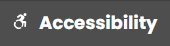
This Volto component looks like this:
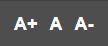
This Volto component looks like this:

This Volto component looks like this:

This product support the following languages:
-
Basque
-
Catalan
-
Germany
-
English
-
Galician
-
Spanish
-
Brazilian Portuguese
- Tested with
Node.js22.16.0 andVolto18.
To install in your project, the volto-accessibility-toolbar add-on, you must choose the method appropriate
to your version of Volto.
Add volto-accessibility-toolbar to your package.json file:
"addons": [
    "volto-accessibility-toolbar": "*"
]"dependencies": {
"volto-accessibility-toolbar": "workspace:*",
}If you trying to install from GitHub you need edit the mrs.developer.json file:
{
  "volto-accessibility-toolbar": {
    "develop": true,
    "output": "./packages/",
    "package": "volto-accessibility-toolbar",
    "url": "git@github.com:collective/volto-accessibility-toolbar.git",
    "https": "https://github.com/collective/volto-accessibility-toolbar.git",
    "branch": "main"
  }
}
The mrs.developer.json file is using by an Node.js utility called mrs.developer that makes
it easy to work with npm projects containing lots of packages, of which you only want to
develop some.
Also add volto-accessibility-toolbar to your package.json file:
"addons": [
    "volto-accessibility-toolbar": "*"
]"dependencies": {
"volto-accessibility-toolbar": "workspace:*",
}Download and install the new add-on by running:
make installStart Volto with:
make startFor use this add-on, you need to configure the following in the settings.js file:
-
enable_link: Enable or disable the accessibility toolbar features. Default:false. -
link_url: URL of the accessibility page. Default:/accessibility. -
enable_font: Enable or disable the font size feature. Default:true. -
enable_contrast: Enable or disable the contrast feature. Default:true.
Example:
export default function install(config) {
  config.settings.enable_link = false;
  config.settings.link_url = '/accessibility';
  config.settings.enable_font = true;
  config.settings.enable_contrast = true;
  return config;
}Visit http://localhost:3000/ in a browser, and check the Accessibility features for the users.
The development of this add-on is done in isolation using a new approach using pnpm workspaces and latest mrs-developer and other Volto core improvements.
For this reason, it only works with pnpm and Volto 18 (currently in alpha).
- An operating system that runs all the requirements mentioned.
- nvm
- Node.js and pnpm 22
- Make
- Git
- Docker (optional)
-
Clone this repository, then change your working directory.
git clone git@github.com:collective/volto-accessibility-toolbar.git cd volto-accessibility-toolbar -
Install this code base.
make install
Run make help to list the available commands.
help                             Show this help
install                          Installs the add-on in a development environment
start                            Starts Volto, allowing reloading of the add-on during development
build                            Build a production bundle for distribution of the project with the add-on
i18n                             Sync i18n
ci-i18n                          Check if i18n is not synced
format                           Format codebase
lint                             Lint, or catch and remove problems, in code base
release                          Release the add-on on npmjs.org
release-dry-run                  Dry-run the release of the add-on on npmjs.org
test                             Run unit tests
ci-test                          Run unit tests in CI
backend-docker-start             Starts a Docker-based backend for development
storybook-start                  Start Storybook server on port 6006
storybook-build                  Build Storybook
acceptance-frontend-dev-start    Start acceptance frontend in development mode
acceptance-frontend-prod-start   Start acceptance frontend in production mode
acceptance-backend-start         Start backend acceptance server
ci-acceptance-backend-start      Start backend acceptance server in headless mode for CI
acceptance-test                  Start Cypress in interactive mode
ci-acceptance-test               Run cypress tests in headless mode for CI
Install package requirements.
make installStart the backend.
make backend-docker-startIn a separate terminal session, start the frontend.
make startRun ESlint, Prettier, and Stylelint in analyze mode.
make lintRun ESlint, Prettier, and Stylelint in fix mode.
make formatExtract the i18n messages to locales.
make i18nRun unit tests.
make testRun each of these steps in separate terminal sessions.
In the first session, start the frontend in development mode.
make acceptance-frontend-dev-startIn the second session, start the backend acceptance server.
make acceptance-backend-startIn the third session, start the Cypress interactive test runner.
make acceptance-testRo run Start Storybook server on port 6006
make storybook-startDeveloped with the support of:

Generated using Cookieplone (1.1.0) and cookieplone-templates (8e49881) on 2026-09-08 09:55:51.534423. A special thanks to all contributors and supporters!
This product was developed by Leonardo J. Caballero G..

The project is licensed under the MIT license.